Focus Metric
Access the Layout Settings
Section titled “Access the Layout Settings”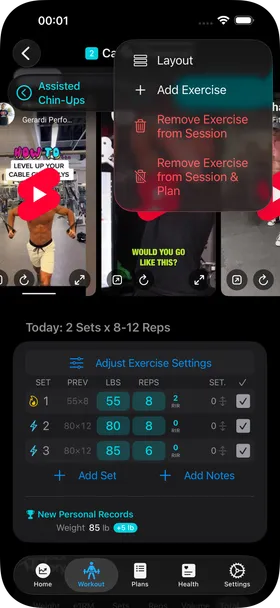
By default, the Workout Exercise View shows you the set rows like this. In this case, it shows you the pulley position setting under the “SET.” column.
Through the … menu in the top right, you can access the Exercise Layout settings sheet.
Select the Focus Metric you want
Section titled “Select the Focus Metric you want”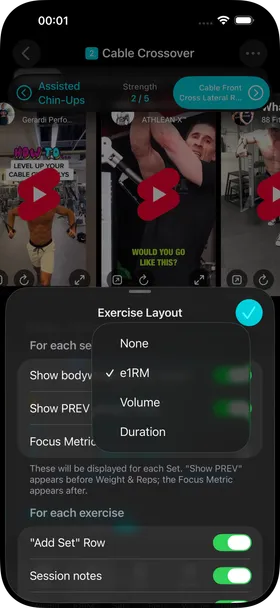
Here you can select a focus metric, for example e1RM.
Focus Metric Column
Section titled “Focus Metric Column”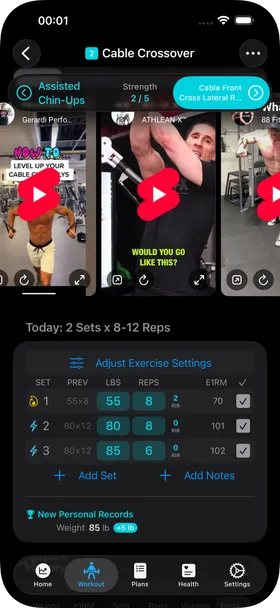
With the focus metric selected, each set row will show you that focus metric, in this case e1RM.
In this example you can see that 8 reps at 80 pounds is roughly the same e1RM as 6 reps at 85 pounds.