Exercise History Section
Scroll down on Exercise View
Section titled “Scroll down on Exercise View”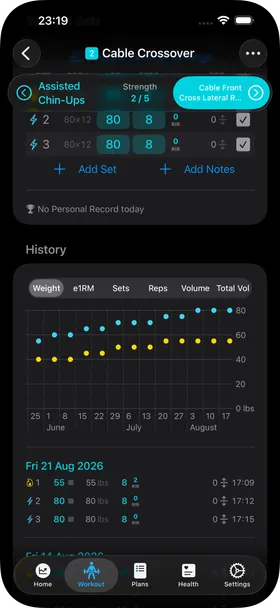
On the Workout Exercise View, scroll down to see the history section. This will show you:
- a graph of the last three months of training
- all your sets in reverse chronological order
Select the data you want to graph
Section titled “Select the data you want to graph”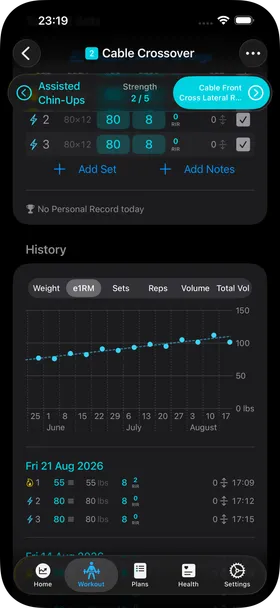
You can use the segment picker above a graph to view different types of data:
- Weight — the weight used for each set (dots of different color depending on set type)
- e1RM — your e1RM (estimated 1 rep max) based on your best work set of the workout session
- Sets — the number of sets you have done in each training session, with different colors depending on set type
- Reps — the number of reps done in each session, stacked by set and set type
- Volume — the set volume of each set in each session
- Total Vol — the total set volume of the session, obtained by stacking the individual sets
Detailed history list
Section titled “Detailed history list”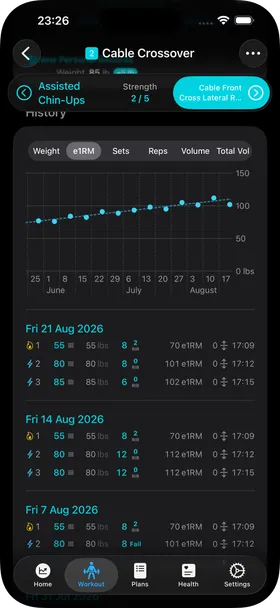
HeavyTrack shows you a reverse chronological list of all your performed sets, grouped by logical day. Two sessions performed on the same logical day appear under the same date.
If you enable a focus metric in the layout settings, you can also see that metric (e.g. e1RM) displayed as a number for each set of the history.